-White.avif)
-Color.avif)
Free Secrets Scanning Tool
Repository scanners read your code. This free hardcoded secrets scanning tool checks what your live web application already serves to the internet. Penti's AI pentester works through your JavaScript assets, configuration paths, and public files, looks for exposed API keys, access tokens, and hardcoded credentials, and backs the result with an evidence log. Enter your company email and target URL to start.


What are hardcoded secrets?
- API keys for payment, email, analytics, and AI services
- Access tokens that carry the rights of the account behind them
- Hardcoded credentials in scripts, deployment templates, and configuration files
- Private keys and encryption keys that unlock servers and sign releases
- Database credentials and connection strings
What you can do with Penti's hardcoded secrets detection tool
The free hardcoded secrets detection tool is one of the free web application tests on Penti's agentic pentesting platform, and it runs as a real penetration test: an AI agent that decides its next move from what your application returns and works through your live application in real time.

Test your own app first

Check every release

Proof for clients and stakeholders

A real pentest, not a surface scan
.avif)
How Penti's free secrets scan works
Launch
Reconnaissance
Discovery
AI testing
Verification
Report
What this hardcoded secrets scanner looks for
Penti's free test works from the outside, the way an attacker would. It takes your URL, maps what the application serves, and checks the places where sensitive credentials end up by accident. This secret scanner covers what your live application exposes to the internet, not your git history or pull requests inside your code repositories.
What the browser receives
Files left on the server
Directories that answer
Everything reachable
Technical details
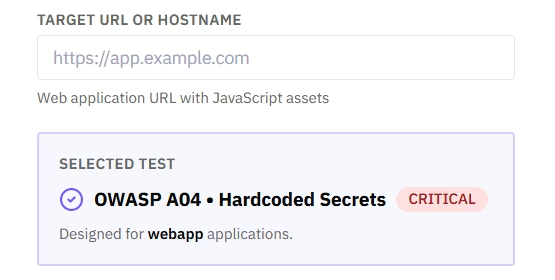
The platform lists this test as OWASP A04 · Hardcoded Secrets at Critical severity. It is built for web applications, takes two inputs, and finishes in a few minutes with nothing to configure.
| Detail | Value |
|---|---|
| Test | OWASP A04 · Hardcoded Secrets |
| Severity | Critical |
| Designed for | Web applications (webapp targets) |
| What you enter | Company email, plus the target URL or hostname of a web application with JavaScript assets |
| Engine | AI-powered agentic penetration test, runs in an isolated environment |
| Standards | OWASP Top 10 and the OWASP Testing Guide, NIST Cybersecurity Framework, MITRE ATT&CK |
| Typical run time | About three minutes |
| Free tier | 1 test at a time, up to 3 tests per month per business address |
Secret scanner results
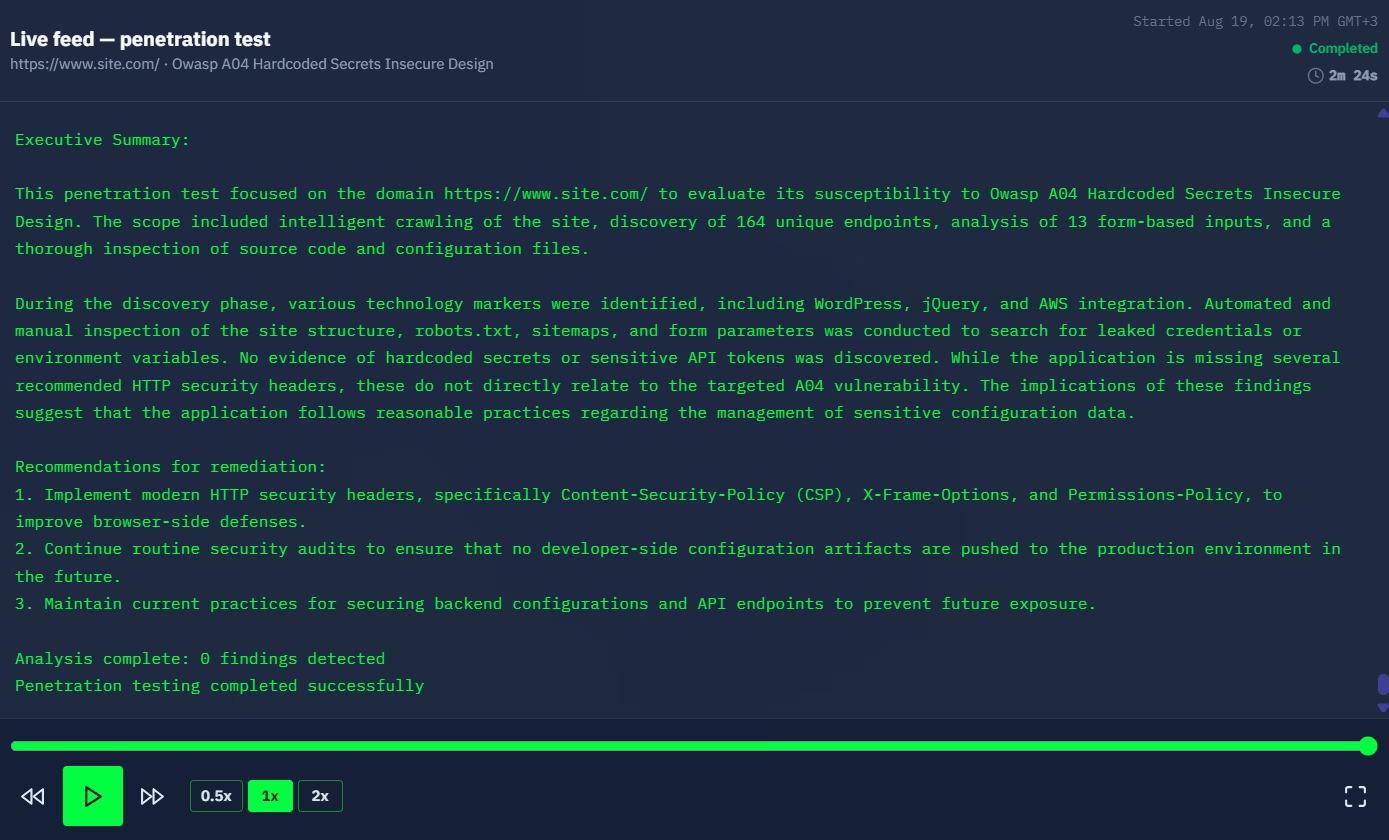
Every test ends with a full Penetration Test Evidence Log, shown on screen when the live run finishes. A clean result is still a verdict: the report gives a posture rating, explains why the exploit did not get through, and lists what to keep doing. It walks through everything the AI pentester did, in this order.
HTTP Requests and Responses

The full request and response detail for each URL that answered, plus a summary of the paths that returned 404.
Endpoint Enumeration
Every endpoint tested with its status (200 / 403 / 404) and a summary count.
Authentication Details & Vulnerabilities Confirmed
The authentication process that was checked, plus each confirmed issue with its name, description, how it was exploited, evidence from the logs, and risk level.
Data Exposed
Whether any sensitive data was exposed during testing.
Execution Metrics & Technical Details
Total time, steps executed, HTTP requests made, execution environment, and the detected server or WAF.
Penetration Test Report & Evidence Summary
A Security Assessment of your overall posture and risk, plus an Executive Summary of what was tested, what was found, and what to fix.
.svg)
Why use Penti to detect secrets in your web app
Penti runs a real penetration test, not a surface scan: proof-based results, clear fixes, and nothing to set up.
Proof behind every finding
You watch it work
Fast and free
A full evidence log
.svg)
Fixes, not just findings

Room to grow
Found an exposed secret? What to do next
Revoke and rotate first
Check what happened while it was open
Take it off the client side
Cut the blast radius
Tell the people who need to know
Re-test
How to prevent hardcoded secrets
These exposures are preventable, and none of the habits below require a dedicated secrets security platform to get started.
.svg)
Keep secrets out of the code
.svg)
Never ship a secret to the browser

Catch secrets before the commit
.svg)
Automate the check on every change
Keep configuration files out of public paths
Re-test after every release
What our clients say
Security teams come to Penti for pentest results they can act on straight away.


Penti's service is a game changer for our compliance needs. The insights we gained were invaluable for our team. Doing this well is crucial for our compliance targets and key in advancing our strategic initiatives.


The integration between Penti, our system, and third parties like Vanta is exceptional. I would also like to mention that their response times are extremely fast!

Penti has been like having an experienced and nimble Security Engineer on staff. They have outlined issues in our platform and guided us towards implementations and fixes that allow for us to ensure we are treating our users data with the utmost care.
Other free tools
Reflected XSS
Learn moreWeak JWT Secret
Learn moreGrafana Path Traversal (CVE-2021-43798)
Learn moreFAQ
What is a secrets scanning tool?
A tool built to detect secrets, meaning credentials left where they can be read. Some work inside code repositories. Penti's free test works from the outside, checking what your live application serves to the internet.
What happens if the test finds no secrets?
Most runs come back clean, and that is a useful outcome. You still get the full evidence log and a posture rating, so you can show the application was tested for secrets exposure rather than assumed safe.
Is this hardcoded secrets scanner free?
Yes. The free tier runs one test at a time, up to three tests per month per business address, and needs only a company email. There is no account setup.
Do I need to install anything?
No install and nothing to configure. You provide a company email and the target URL, and the test starts.
Do I need permission to scan a site?
Yes. Test only a target you own or are authorized to assess. You confirm this by accepting the Terms of Service and the Pentesting Agreement before the test starts, and you should tell your own team, since the test sends real requests to a live application.
How long does a scan take?
About three minutes for a typical application. The exact time depends on how many pages and endpoints the agent finds.
What do I get at the end?
A full Penetration Test Evidence Log on screen: the request and response detail, every endpoint tested with its status, any confirmed findings with evidence and risk level, execution metrics, and a summary with remediation advice.
How often should I run this test?
Run it after every release that changes your front-end or adds a server-side feature, since each build ships new assets that a previous run never saw. The free tier allows up to three tests per month per business address.
My site is static. Does this still apply?
Less of it does. With no server-side backend there are no debug logs, environment files, or database credentials left behind on a server, and a run against a static site reports exactly that. What still applies is everything shipped to the browser: a key pasted into front-end code to make an analytics, payment, or AI integration work reaches every visitor. Run it again whenever you add a dynamic feature or a custom API integration.
Does it scan my code repository?
No. It tests your live web application from the outside: the assets and files your server sends to visitors. Repository scanning is a separate discipline, and a dedicated tool for detecting hardcoded secrets in source code covers it.
What does this free test not cover?
It checks one issue class, hardcoded secrets, on one target, from the outside, and a single run reflects only what was live at that moment. It does not monitor your whole attack surface on an ongoing basis. A full Penti pentest goes further: your entire attack surface, on a schedule, verified by humans.